Command cooldowns
Command cooldowns can be configured for economy commands such as work, crime, rob, as well as game-related
commands.
Work, Crime, and Rob cooldowns
You can configure cooldowns for these commands either via the dashboard or using text commands.
Dashboard
- Visit the dashboard
- Open the relevant command settings page
- Adjust the cooldown value
Text commands
Use the set-cooldown command:
!set-cooldown <work | slut | crime | rob> <cooldown>
Example:
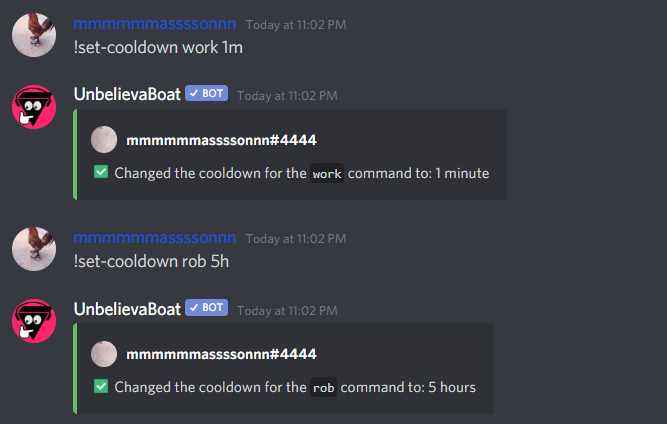
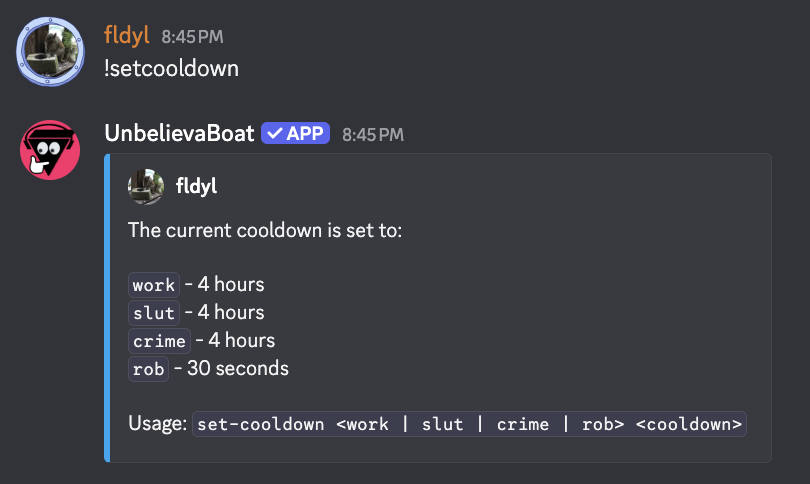
To view the current cooldown configuration, run the command without any arguments:
!set-cooldown
Example output:
Game command cooldowns
Cooldowns for game commands such as blackjack, cock-fight, and roulette are managed separately.
These cooldowns:
- Apply to all game commands
- Cannot be configured via the dashboard
Text command
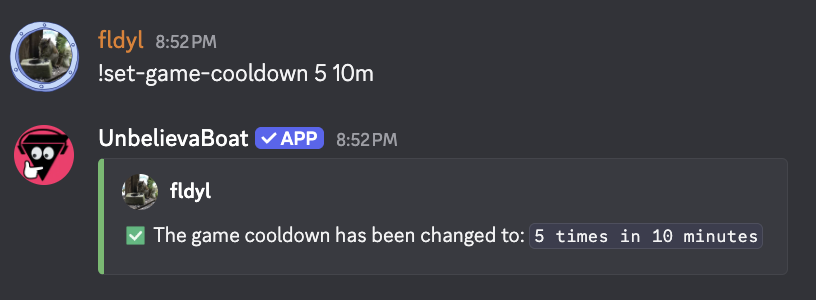
Use the set-game-cooldown command:
!set-game-cooldown <usages> <duration>
Example: