Managing Command Permissions by User or by Role
By default, users can run normal basic commands such as the work or crime command without any adjustments needed.
With the Manage Server permission, users can alread run management commands that change the bot's configuration, such as the add-money command and are also able to add items to the store and change other bot settings. There are times when it is useful to be able to grant certain users or roles access to commands even if they do not have the Manage Server permission. Or, maybe you would like to blacklist a user or role from participating in the server economy. The information below will outline how you can do just that.
Managing command permissions is done with the permissions command.
Usage: permissions <deny | delete | allow | clear | list> <member or role> [command or module]
With this command, you can allow or disallow users/roles access to a command. You can also regulate access to entire modules with a single command. See https://unb.gg/commands for a list of modules and the commands in each module.
Allowing access to commands or modules
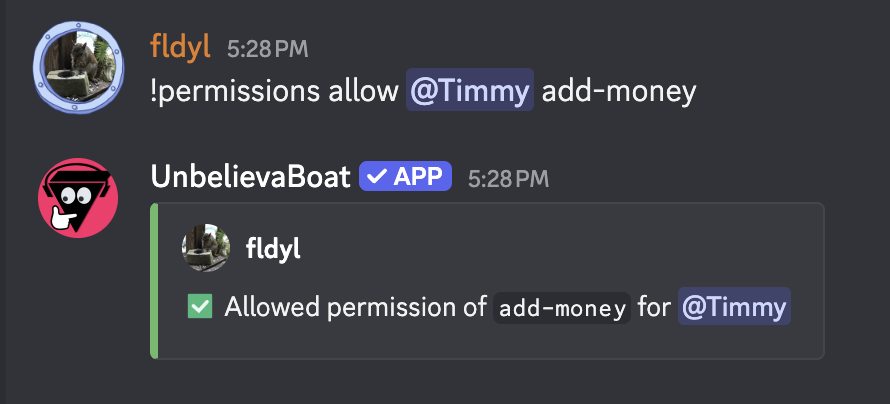
This can be done using permissions allow <member or role> <command or module>. See below for an example of allowing a user to use the add-money command.
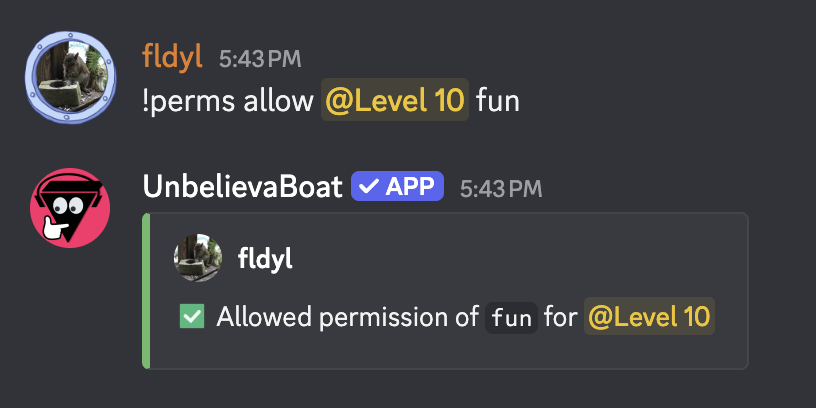
See below for an example of allowing a role to use the fun module commands.
Denying access to commands or modules
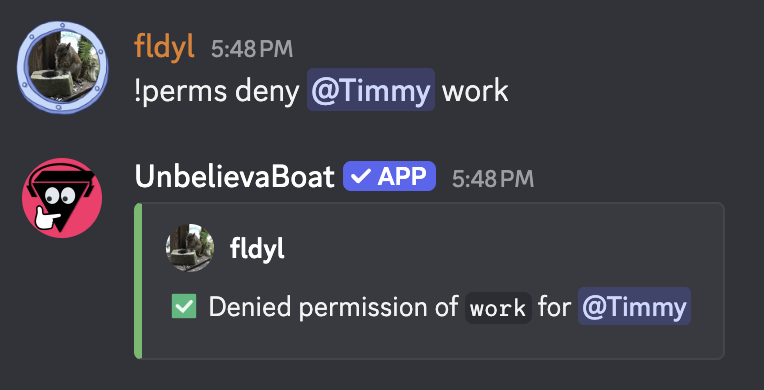
This can be done using permissions deny <member or role> <command or module>. See below for an example of denying a user access to the work command.
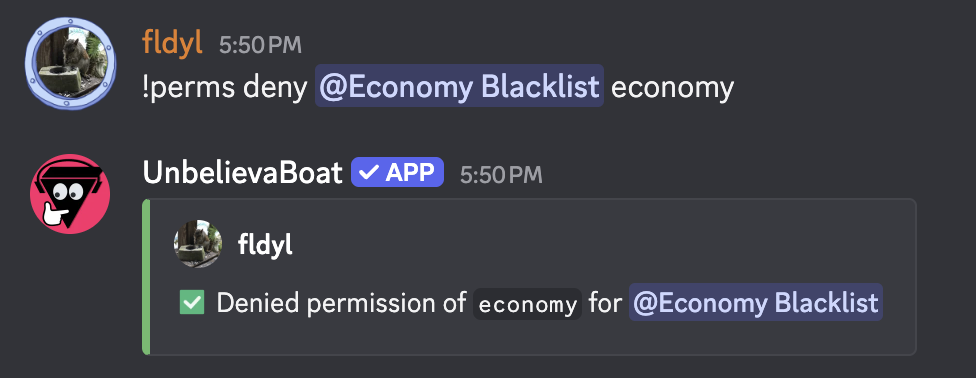
See below for an example of denying a role access to the economy module commands. This means anyone with the role will be unable to use any command in the module.
Viewing permissions currently set
You can view the current permission settings with the permissions command.
Usage: permissions list <user or role>
Resetting a permission back to default
You can remove an allowed/denied command or module that has been set for a user or role with the permissions command.
Usage: permissions delete <user or role> <command or module>
Resetting all permissions set for a user or role
You can reset all permissions set for a user or role back to the default.
Usage: permissions clear <user or role>
Additional considerations
-
Allowed permissions take priority over denied permissions. For example, if a member was given permission to use the
workcommand, yet a role they have was denied access to the same command, they would still be able to use the command. -
Some high-level commands are unable to be granted using these methods in order to protect servers from abuse.