By Channel
Commands can be disabled or enabled in a specifc channel using the channel-override command. Even if a command was disabled entirely using the disable command, the channel-override can be used to enable a command in a specifc channel only, and vice versa.
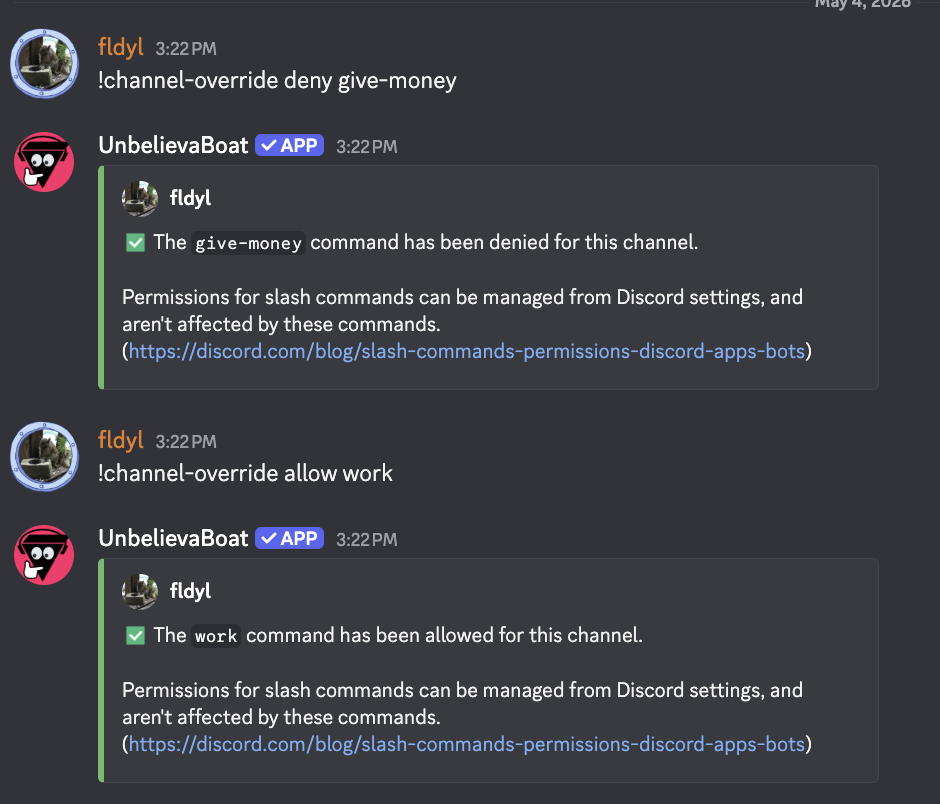
Disabling a command in a channel
Usage: channel-override deny <command or module>
Allowing a command to be used in a channel
Usage: channel-override allow <command or module>
Resetting an override
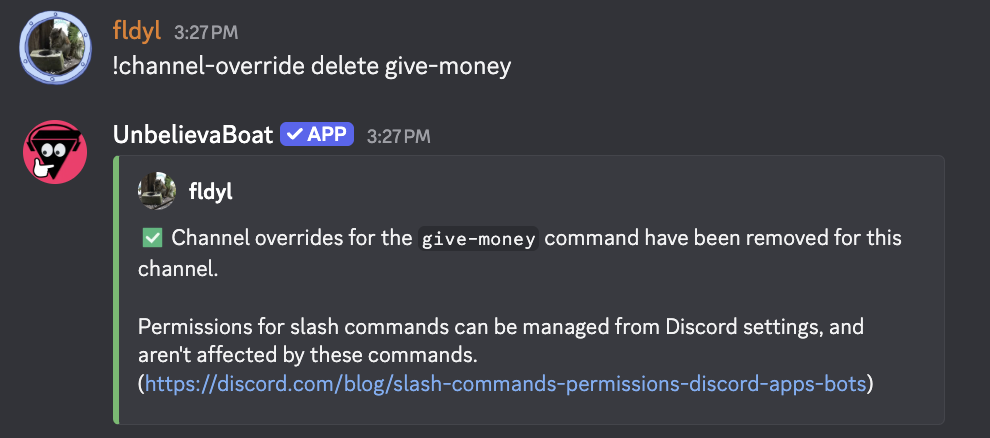
You can reset a command that was allowed or denied. If the command was disabled for the server using the disable command previously, this means the command will also be disabled in the channel if reset, and vice versa.
Usage: channel-override delete
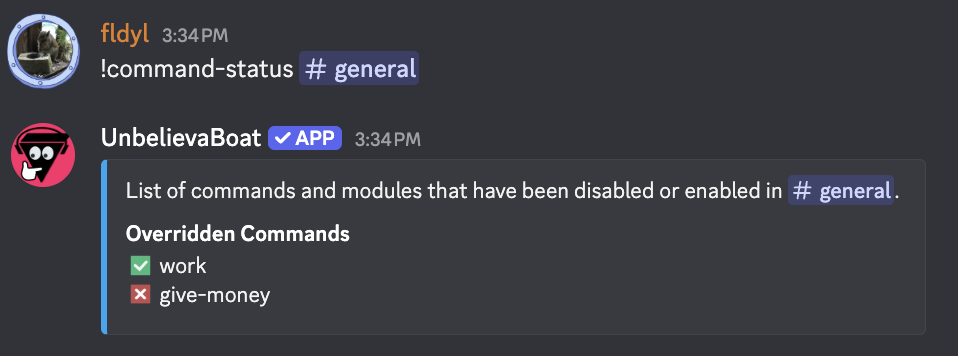
Viewing currently allowed or denied commands
You can see the current settings with the command-status command.
Usage: command-status <channel>
Additional considerations
- Allow takes priority over deny. For example, if a module is denied for a channel, and a single command from the module is then allowed, the command will be available for use in the channel.