Turning on/off commands
Specific commands or modules can be quickly turned on or off server-wide using the enable and disable text commands. These can be used in conjunction with channel permissions to precisely limit bot command usage.
You need the Manage Server permission to use these commands.
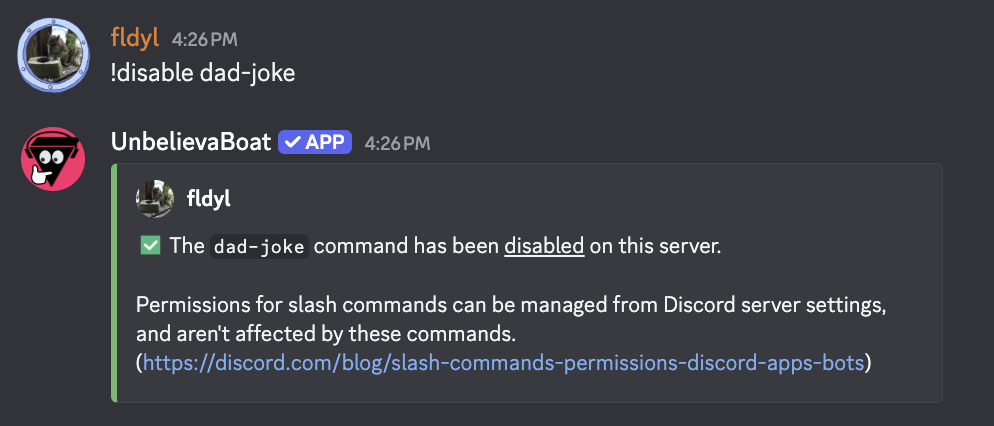
Disabling a command or module
Use the disable command
!disable <command or module>
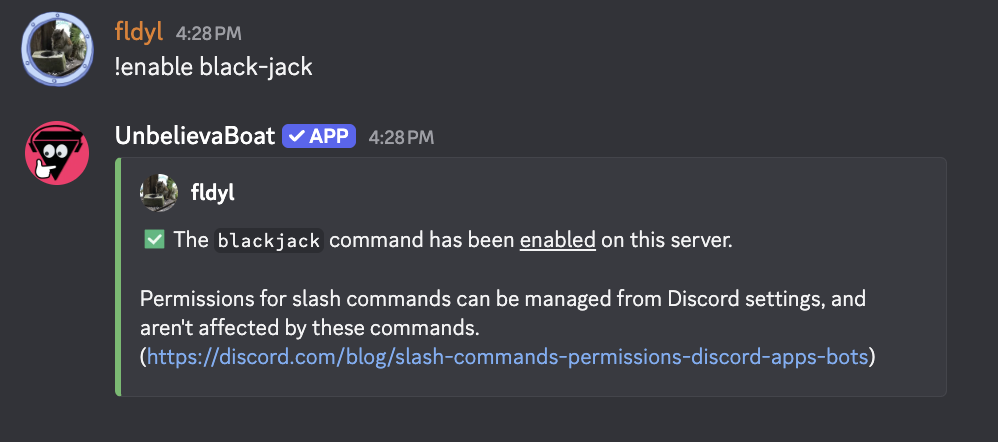
Enabling a command or module
Use the enable command
!enable <command or module>
Additional considerations
- More specific settings win. A command setting takes priority over a module setting. For example, if the
gamesmodule is disabled but theblackjackcommand is enabled, blackjack can still be used. If thegamesmodule is enabled butblackjackis disabled, blackjack cannot be used. - Channel overrides take priority. If a command is disabled server-wide but allowed in a channel using the
channel-overridecommand, it can only be used in that channel, and vice versa. - The
permissionsmodule and theenable,disable,channel-override, andtestcommands cannot be disabled. - The
nsfwmodule is disabled by default. - These settings only apply to text commands. See Slash commands to manage slash commands.