Licences, permits and vehicles
Sell licences that last a set time and are removed automatically, and vehicles that members can only buy with the right licence.
What you'll use
- Store items with an Edit Roles action and timed actions
- Item requirements
Sell a licence that expires
- Create a role for the licence, such as Driving Licence.
- In the Dashboard → Store, create an item with the same name, a price and a Licences category.
- Turn off Inventory Item, so the licence applies as soon as it's bought.
- Add a Role requirement set to None, with Driving Licence and Jailed. Members can't buy a second licence while they have one, or buy one while in jail.
- Add an Edit Roles action that adds Driving Licence on
/item buy. - Select the timer icon next to the action and set it to 30 days.
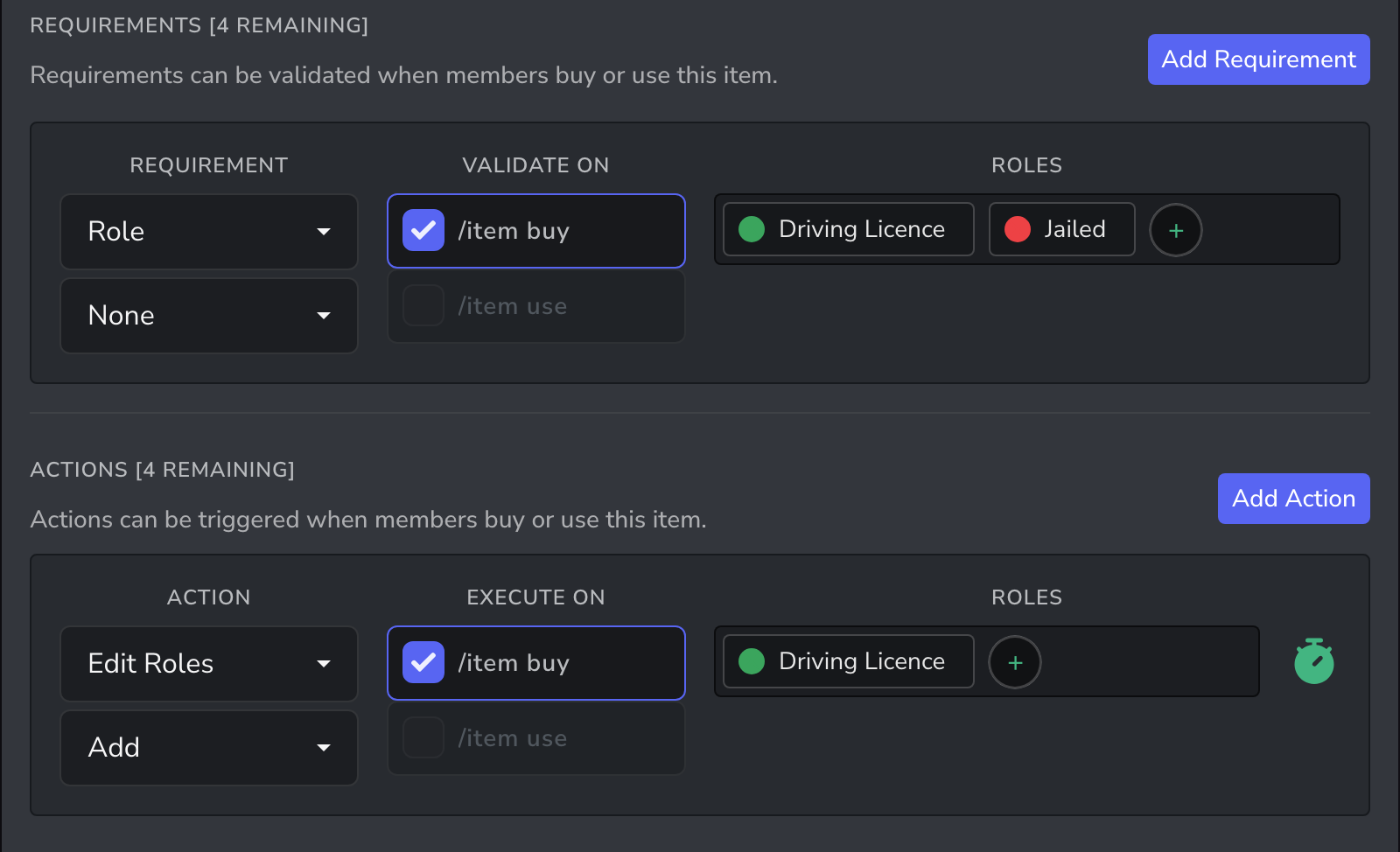
When the 30 days are up, the role is removed and the member can buy a new licence. For a licence that never expires, leave the timer off.
Sell a vehicle that needs a licence
- Create an item such as Sports Car in a Vehicles category.
- Keep Inventory Item on, so the vehicle is registered in the member's inventory. Turn off Usable.
- Turn on Sellable if members can sell vehicles to each other.
- Set a Max Quantity, such as
2, to limit how many each member can own. - Add a Role requirement set to All, with Driving Licence.
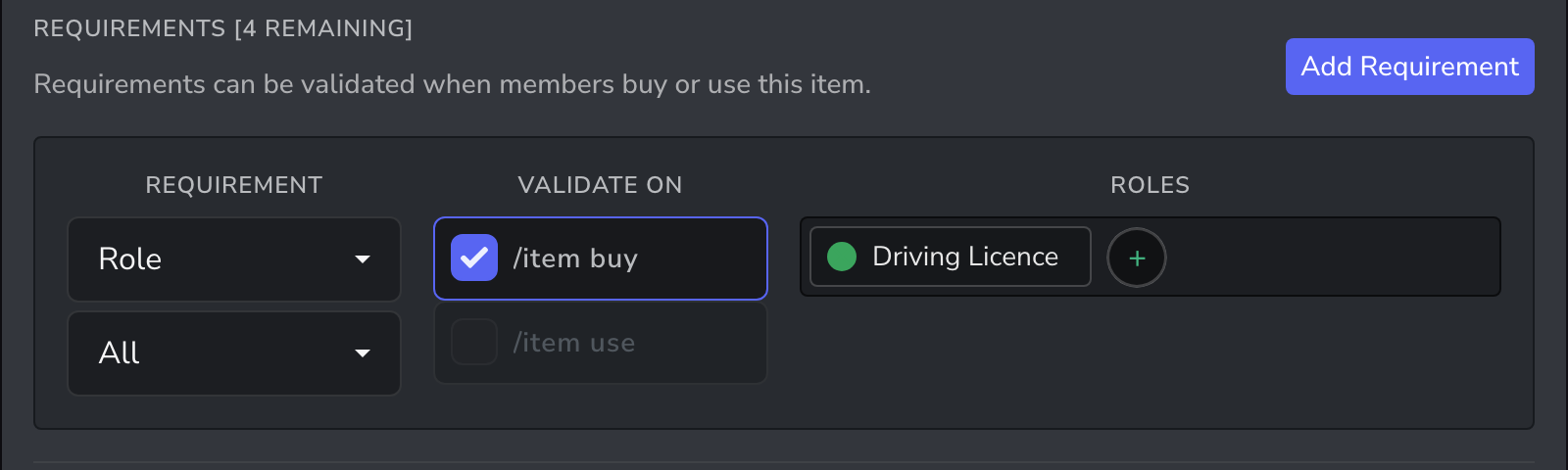
Members show their vehicles with /item inventory, and anyone can check another member's with /item inventory user:@member.
More ideas
| Item | Requirement | Timer |
|---|---|---|
| Firearms Licence | None of Jailed | 30 days |
| Business Licence | A Business Owner role | 90 days |
| Fishing Permit | None | 7 days |
| Pilot Licence | A Flight Test Passed role | None |
If a licence needs a test first, have examiners give a Test Passed role, and add it as a requirement.
Related guides
- Timed roles and passes: the same recipe for any server
- Job-only shops: items only certain jobs can buy