Job commands
Create earning commands named after your server's jobs, with their own payouts, cooldowns, risks and replies.
Premium Only
Custom income commands require an active Premium subscription to set up.
What you'll use
Create a job command
- Open the Dashboard → Custom (under Income) and click Create Command.
- Enter a name, such as
patrol, and a short description. - Set the Cooldown, for example 2 hours, so it works like a shift.
- Set the minimum and maximum Payout.
- For a risky job, set a Chance of fine and Fine amount. Leave it at
0for a safe job. - Add success and fail replies in your server's style. Each reply must include
{amount}.
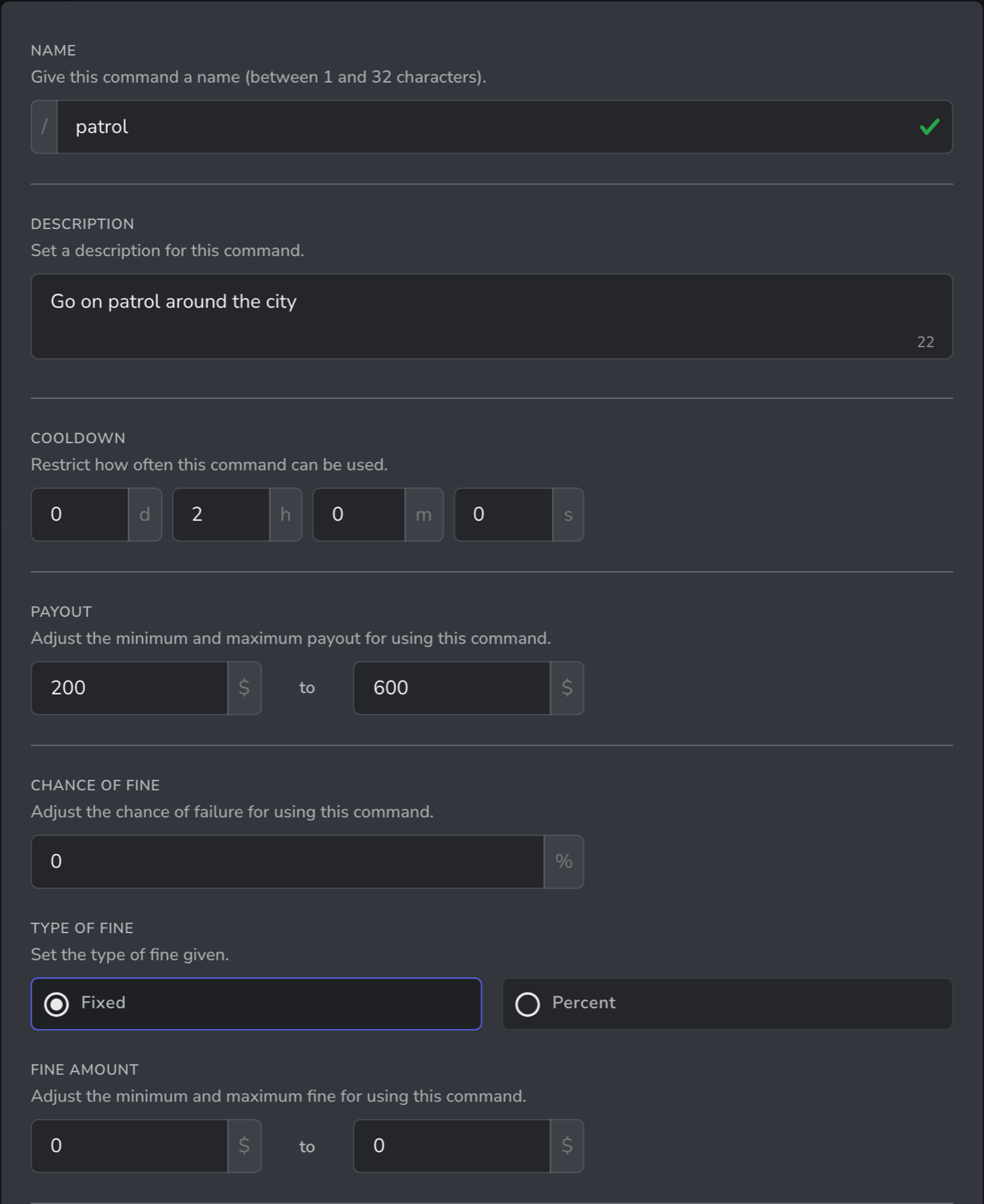
The command appears as a slash command, such as /patrol, once it's saved.
Ideas
| Command | Job | Payout | Cooldown | Chance of fine |
|---|---|---|---|---|
/patrol | Police | 200 – 600 | 2 hours | 0% |
/treat | Paramedic | 250 – 550 | 2 hours | 0% |
/repair | Mechanic | 150 – 450 | 1 hour | 10% |
/heist | Criminal | 1,500 – 5,000 | 6 hours | 45% |
You can create up to 10 custom income commands.
Limit a command to one job
Custom income commands are slash commands, so you can limit who can use each one in Server Settings → Integrations → UnbelievaBoat. For example, allow /patrol only for your police roles. See slash command permissions.
Related guides
- Department salaries and rank pay: regular pay on top of job commands
- Fines, bail and taxes