Timed roles and passes
Sell a role that only lasts for a while, such as a 30-day VIP pass. UnbelievaBoat removes the role automatically when the time is up.
What you'll use
- Store items with an Edit Roles action
- Timed actions: reverse an action after a set time
- Item requirements
Set up a 30-day pass
- Open the Dashboard → Store and select Create Item.
- Name the item, for example VIP Pass (30 days), and set a price.
- Turn off Inventory Item, so the pass applies as soon as it's bought.
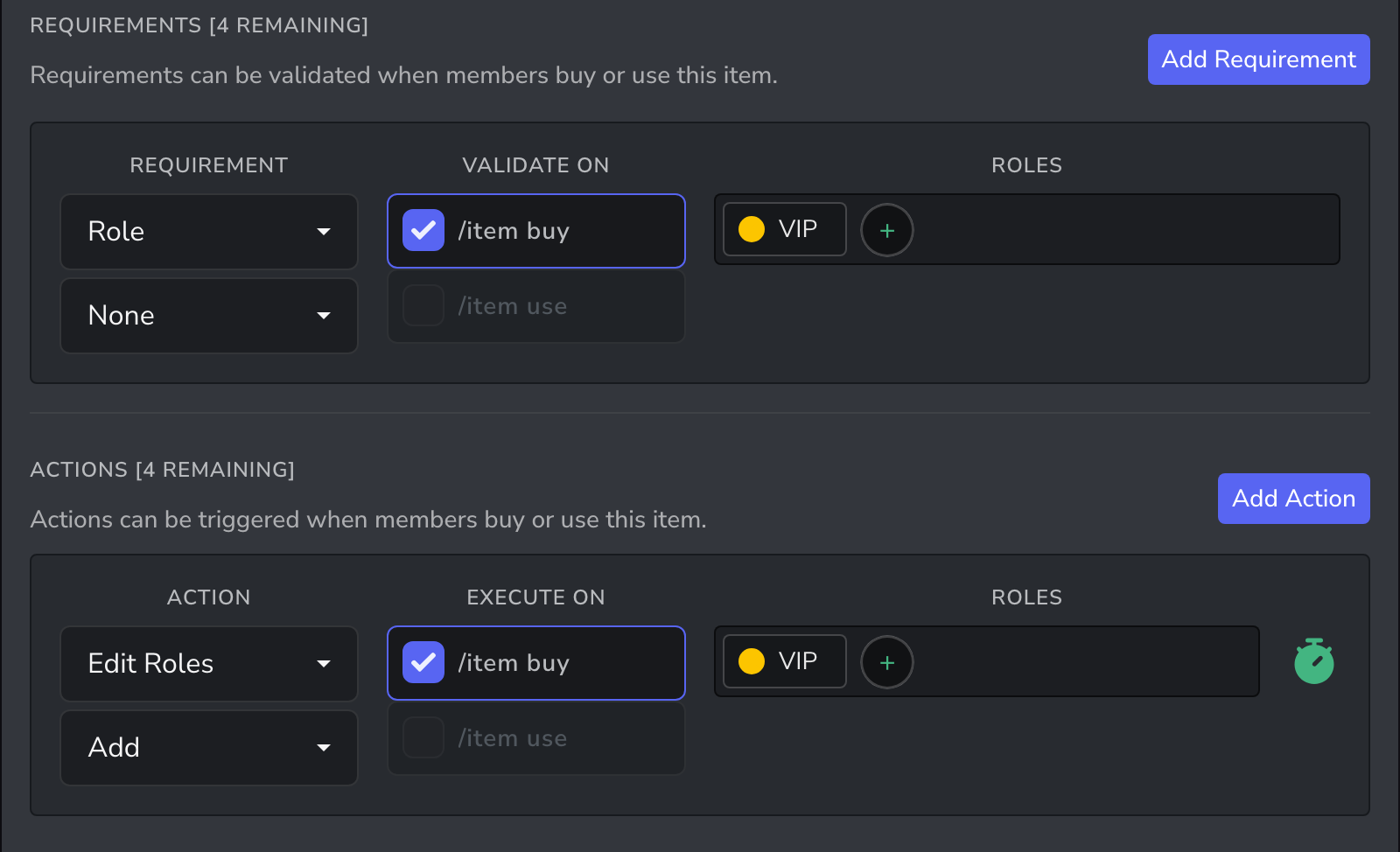
- Select Add Requirement, choose Role and None, and add the VIP role. Members can't buy the pass while they still have it.
- Select Add Action, choose Edit Roles, then Add and the VIP role.
- Select the timer icon next to the role and set it to 30 days. The icon turns green when the timer is on.
- Save the item.
Ideas
| Item | Role | Timer |
|---|---|---|
| VIP Pass (30 days) | VIP | 30 days |
| Event Ticket | Event Access | 1 day |
| Name Colour (7 days) | A colour role | 7 days |
| Trial Membership | Member | 3 days |
To sell a pass only for a limited time, set an Expiry Date on the item. The item is deleted from the store at that time.
Tips
- Mention the length in the item name and description, so members know what they're buying.
- When the pass runs out, the role is removed and the member can buy it again.
Related guides
- Licences, permits and vehicles: timed roles used as roleplay licences
- Leave of absence: a free timed role for staff leave
- Run a server shop: more ideas for your store