Run a server shop
Give members something to spend their money on. A good shop mixes items that do something, like roles and perks, with collectables that members want to own.
What you'll use
- Store items: items, actions and requirements
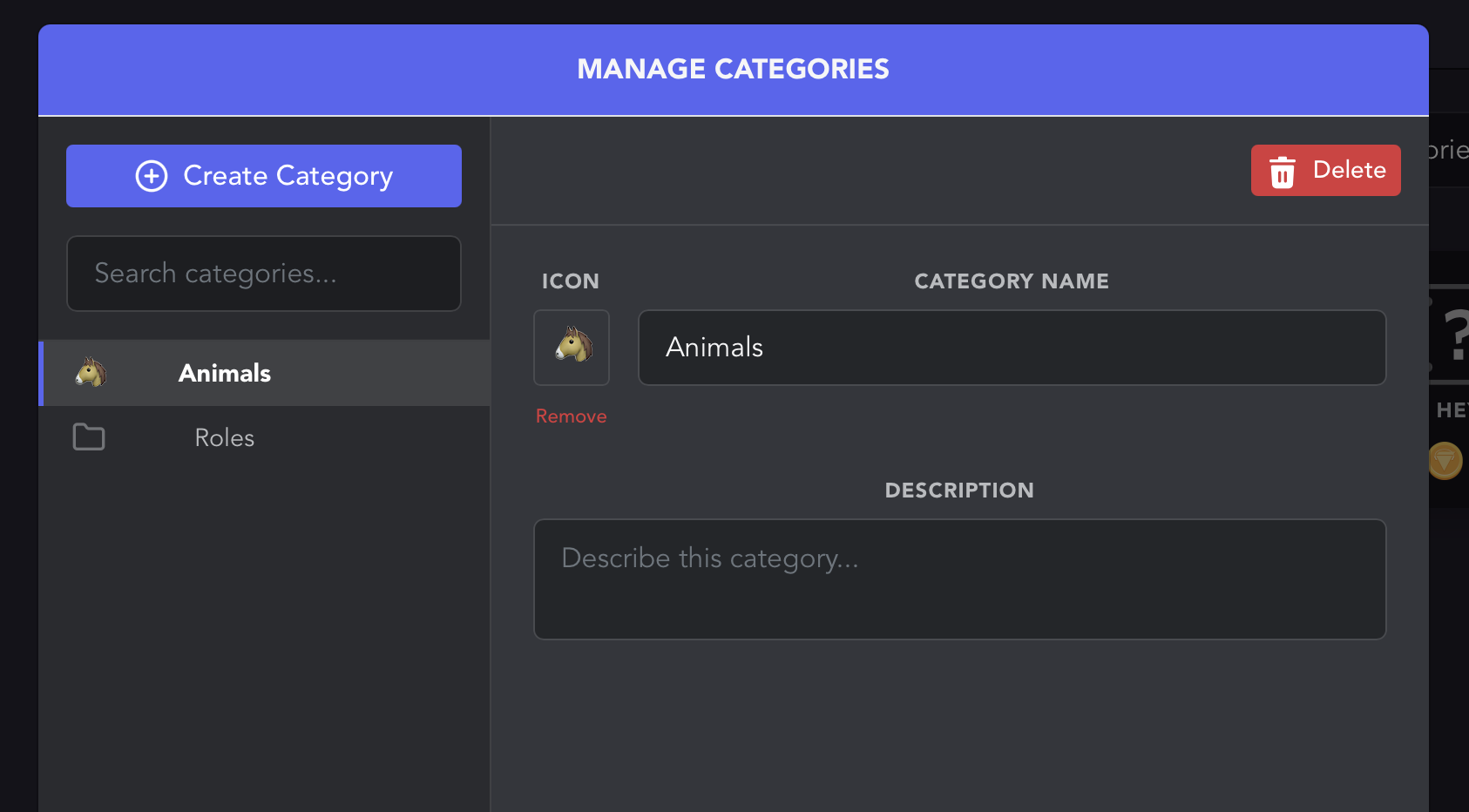
- Item categories: group items in the store
What to sell
| Item | How to set it up |
|---|---|
| A role | An Edit Roles action that adds the role. See How do I add a role to my store? |
| A perk channel | A role as above, with access to the channel set in Discord's channel permissions |
| A collectable | An inventory item with Usable turned off |
| A mystery box | A usable item with an Edit Items action that gives another item when used |
| A limited edition | Turn off Unlimited Stock and set how many can be sold |
Set it up
- Open the Dashboard → Store.
- Create your categories from All Categories → Manage, for example Roles, Perks and Collectables.
- Select Create Item, then set the name, price, icon and category.
- Add an action if the item should do something, such as giving a role.
- Add a requirement if only some members should be able to buy it.
Members browse the store with /item store and buy with /item buy.
Member-only items
Add a Role requirement to limit who can buy an item. For example, require a Level 10 role for a premium colour, or a Booster role for a booster-only perk.
Pricing tips
- Price items against what members earn. If
workpays about 500 an hour, a 25,000 role takes a couple of days of activity. - Keep a few cheap items so new members can buy something on their first day.
Related guides
- Job-only shops: shops for roleplay jobs and businesses
- Timed roles and passes: sell roles that expire