Pay members by role
Reward members for having a role, such as a weekly wage for staff, a bonus for server boosters or a daily allowance for everyone.
What you'll use
- Role income: pays members with a role on a schedule
Choose collectable or automatic
| Type | Best for |
|---|---|
| Collectable | Rewarding active members, who claim it with /collect-income |
| Automatic | Paying everyone with the role, whether or not they are active |
Income for the @everyone role is always automatic and free to set up. Other automatic income uses automatic role income slots.
Set it up
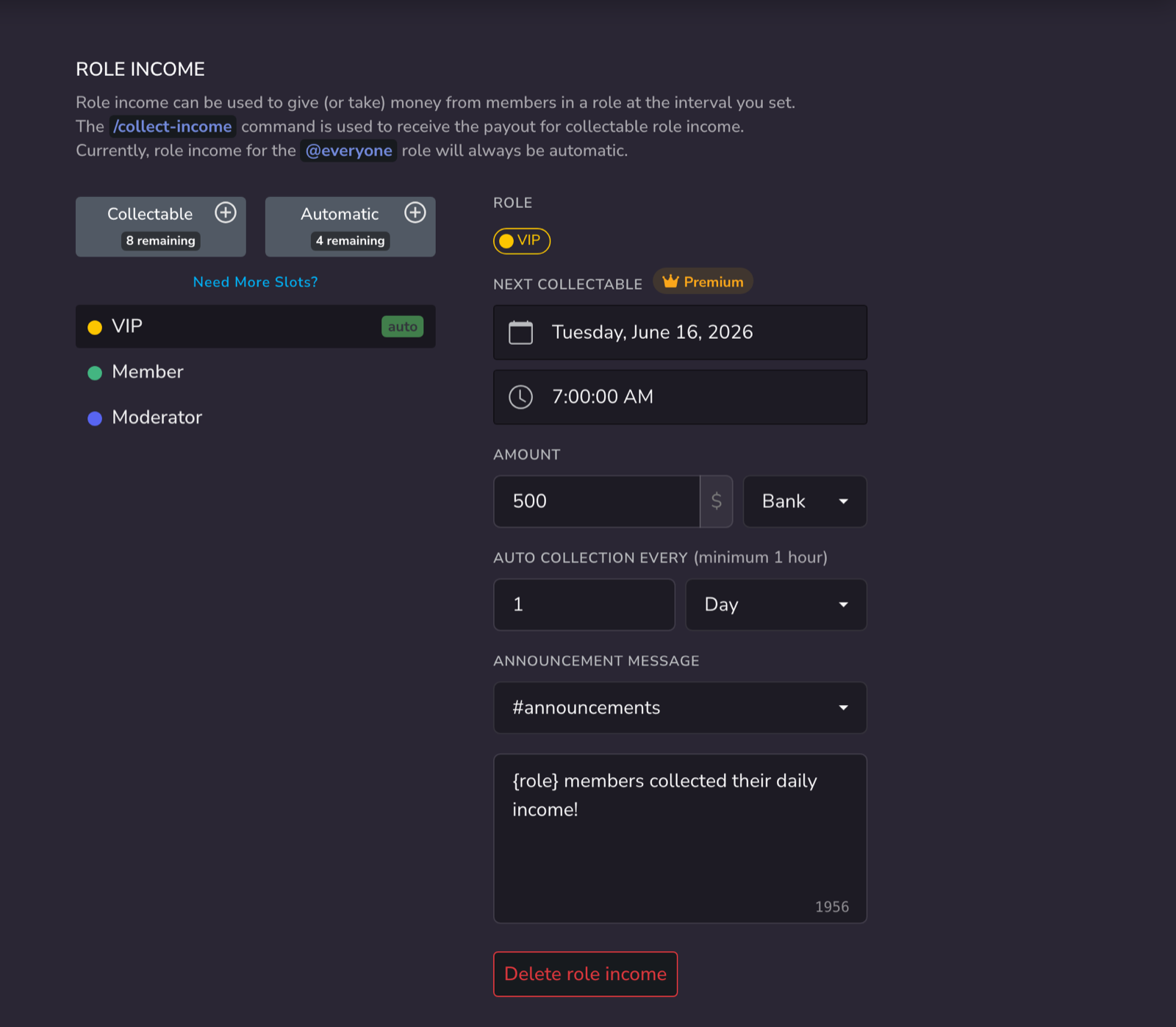
- Open the Dashboard → Role Income.
- Click the + next to Collectable or Automatic, and choose the role.
- Enter the Amount and choose Cash or Bank.
- Set how often it pays, for example every 7 Days.
- Optionally, choose an Announcement Channel to post a message each time it pays.
Ideas
| Role | Income |
|---|---|
| @everyone | 100 every day, as a daily allowance |
| Staff | 2,000 every 7 days, as a wage |
| Booster | 500 every day, as a thank-you |
| VIP | 5% of their bank balance every 7 days, as interest |
Members with several roles receive the income for each of them.
Tips
- Pay into Bank to keep the income safe from
rob. - Use a percentage amount for interest, or a negative amount for a tax. See Taxes, fees and money sinks.
Related guides
- Department salaries and rank pay: the same feature used for a roleplay pay scale
- Timed roles and passes: sell a role that comes with an income