Role income
This guide covers the basics on creating and managing role income.
What role income can do
Role income lets you automatically add or remove server currency from members based on the roles they have, either on a schedule or when they manually collect it.
Role income lets you:
- Add or remove currency from members with a specific role
- Apply changes on a set interval
- Apply to either cash or bank balance
- Use fixed amounts or percentages
- Stack multiple roles
Types of role income
There are two types of role income:
| Type | How members receive it |
|---|---|
| Collectable | Members must run !collect-income to receive it |
| Automatic | Applied to members automatically on the schedule |
Currently, role income for the @everyone role is automatic.
How many can be created
You can create 15 collectable role income.
Additional collectable and automatic role income slots can be purchased.
Setting up
Role income is set up from the Dashboard → Role Income.
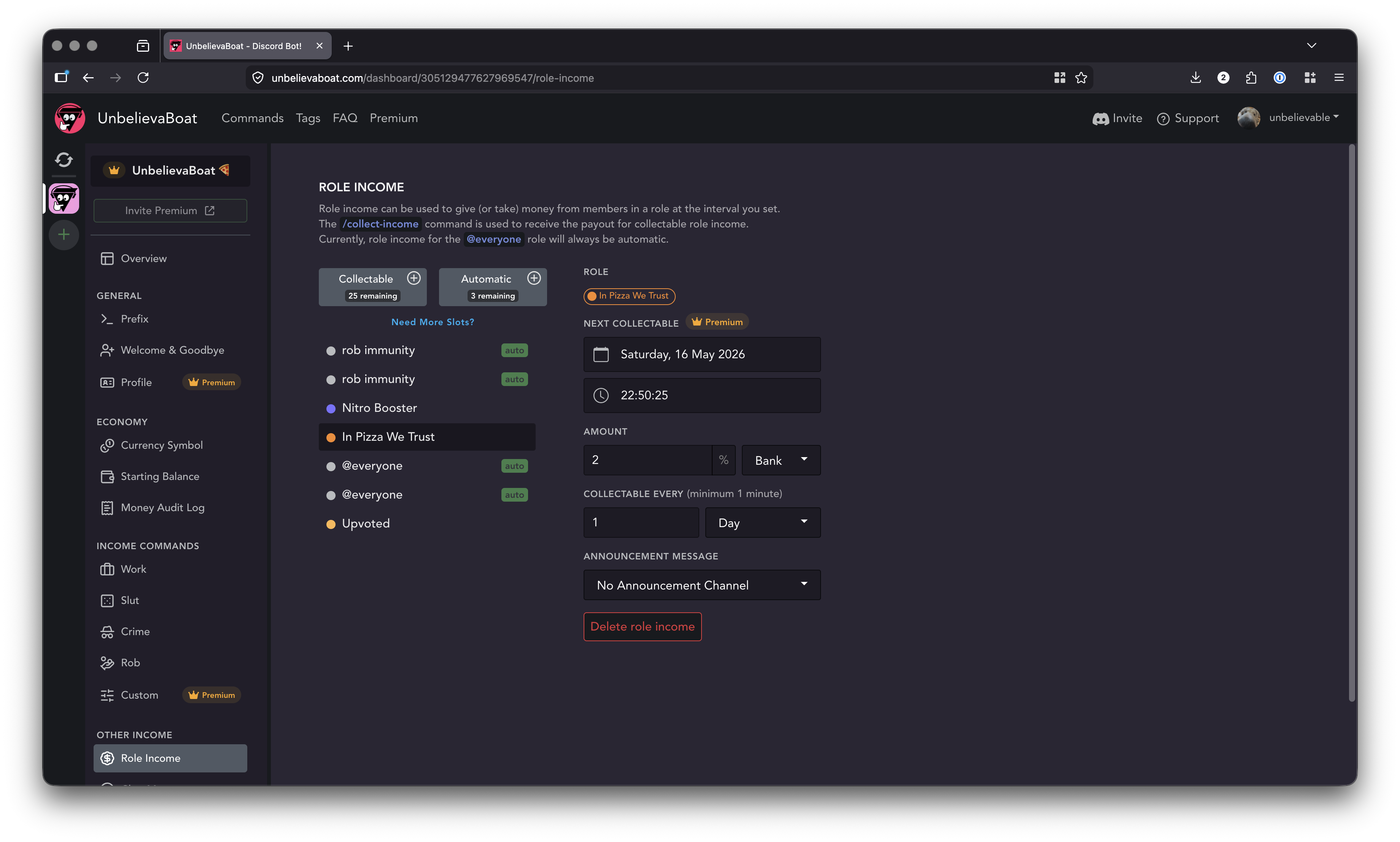
Click the + and choose a role. Below are options you can set:
-
Next Collectable
When the income is next paid out. If a Premium server, this can be changed to fine-tune the payout times. -
Amount
How much the member's balance will change by. Negative values remove, positive values add. Click the $ or % symbols to switch between a percentage and a fixed amount. -
Announcement Channel
Where to automatically announce to when an income has been paid. Members can collect the income directly from the announcement. The message is customizable.

About cooldowns
Cooldowns are based on the role, not when the member last collected the income. When paid, the member has until the next cycle to collect. Because of this, a shorter cooldown may be noticed. This is expected behavior.