Random outcomes
Random outcomes let an item pick what happens at random. Each outcome has a chance of being picked, and members get one of them when they buy or use the item. Use them for mystery crates, loot boxes, rare drops and random replies.
Random outcomes are set up in the item editor, from the Dashboard → Store, below the item's actions.
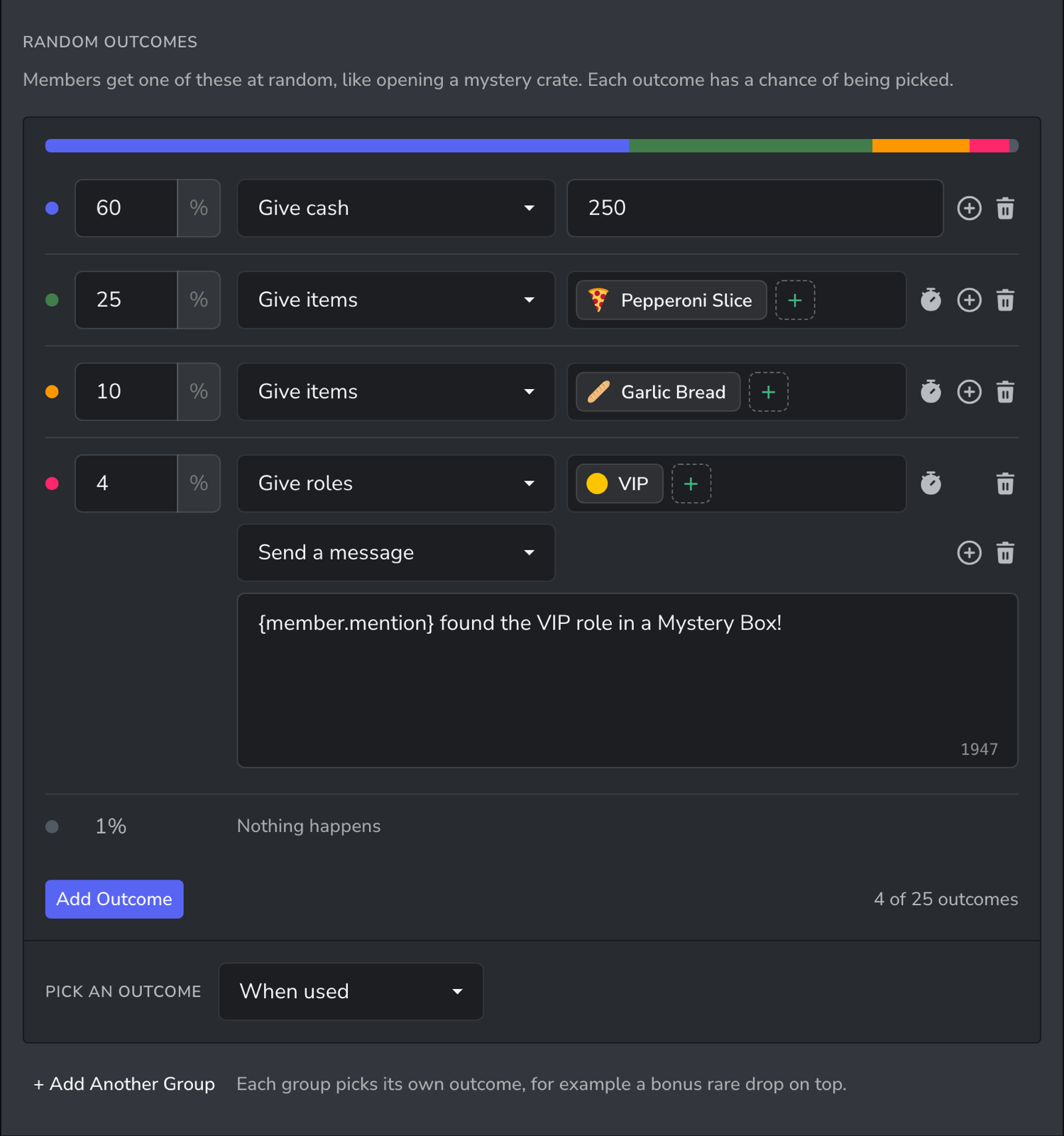
How random outcomes work
- Each outcome has a chance, such as 60%. One outcome is picked each time the item is bought or used.
- Whatever is left of 100% is the chance that nothing happens. In the example above, there is a 1% chance of getting nothing.
- An outcome does something, just like an item's actions: give or take cash, items or roles, or send a message.
- The item's actions still always happen. Use both to give a guaranteed reward plus a chance of something better.
- When a member buys or uses several of the item at once, an outcome is picked for each one, and the rewards are added together.
Adding random outcomes
- Open the Dashboard → Store and select an item, or select Create Item.
- Scroll down to Random Outcomes and select Add Random Outcomes.
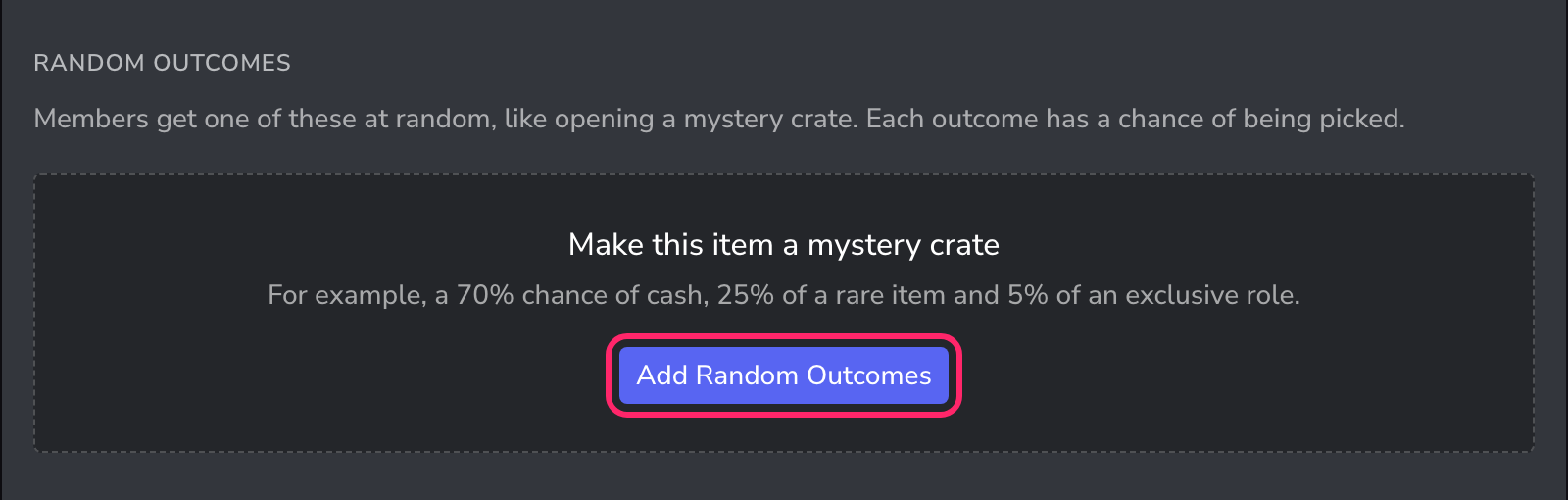
- The first outcome starts at 50%. Set its chance, then choose what it does, such as Give cash, and the amount.
- Select Add Outcome for each other reward. A new outcome takes whatever chance is left, so adjust the chances as you go.
- Under Pick an outcome, choose when an outcome is picked: When bought, When used, or When bought or used.
- Select Save (or Create for a new item).
To remove an outcome, select the bin icon next to it.
Chances
- Chances are percentages from 0.01% to 100%, so very rare drops such as 0.5% are possible.
- The chances can add up to 100% at most. The coloured bar shows how they are split, and the Nothing happens line shows what's left.
- If the chances add up to more than 100%, the line turns red, and the item can't be saved until they are lowered.
Set the chance of nothing happening to 0% (chances adding up to exactly 100%) if members should always get something.
What an outcome can do
An outcome can:
- Give cash or Take cash
- Give items or Take items
- Give roles or Take roles
- Send a message
With Premium, an outcome can do up to three things. Select the plus icon at the end of an outcome's line to add another, for example to give a role and announce it with a message.
Outcomes that give or take roles or items can have a timer, so a role won from a crate can be removed again after 30 days.
Roles must be below UnbelievaBoat's highest role in the list in Server Settings > Roles, or UnbelievaBoat will not be able to give or take them.
Several groups
Outcomes are kept in a group, and each group picks one of its outcomes. With Premium, an item can have up to three groups. Select + Add Another Group below the outcomes to add one.
Each group picks its own outcome, so one item can give a main reward plus a bonus rare drop.
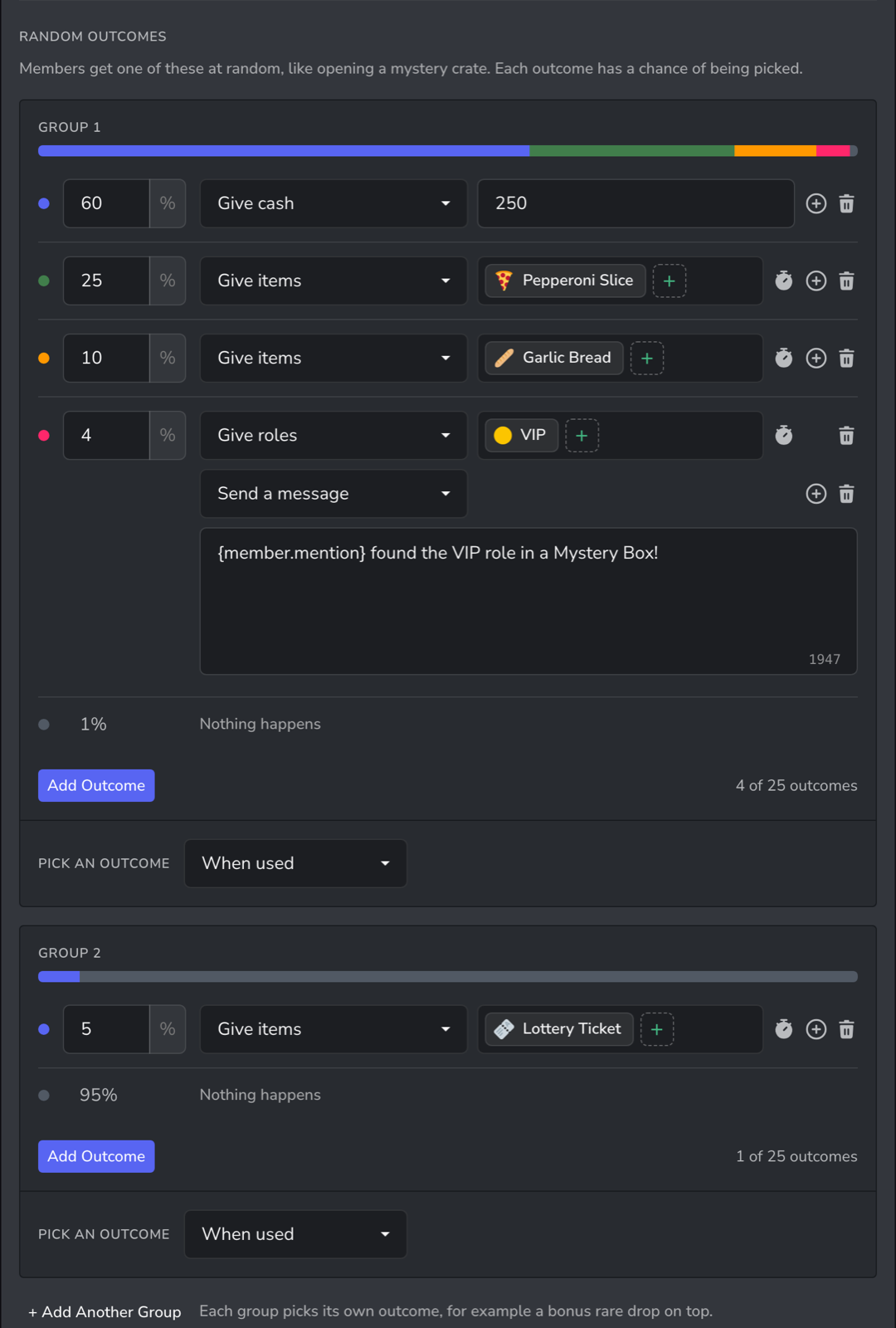
In this example, members get one outcome from Group 1, and also have a 5% chance of a Lottery Ticket from Group 2.
Messages
When an outcome with a Send a message action is picked, its message is the reply. If several outcomes with messages are picked at once, the rarest one's message is used.
Without a message, the reply lists what the item did, then what the random outcomes gave, under Outcomes.
To list the outcomes inside your own message, add the {outcomes} tag where they should appear. This tag is available in the item's messages once it has random outcomes.
What members see
/item infoshows a Possible outcomes list with each chance, including the chance of nothing happening, so members know the odds before they buy.- After buying or using the item, the reply shows what they got, or "Nothing this time".
Items members already own
Random outcomes are copied into members' inventories when they buy the item, like its actions. To change the outcomes of items members already own, turn on Update Inventory Items before you save.
Limits
| Free | Premium | |
|---|---|---|
| Groups per item | 1 | 3 |
| Outcomes per group | 5 | 25 |
| Actions per outcome | 1 | 3 |
Nothing happens doesn't count as an outcome, and outcomes don't count towards the item's action limit.
Ideas
| Idea | How to set it up |
|---|---|
| Mystery crate | One group, such as 70% cash, 25% a rare item and 5% an exclusive role |
| Rare bonus drop | A second group with a single outcome, such as a 5% chance of a rare item, on top of the main reward |
| Guaranteed reward with a chance | An action that always gives cash, plus a 10% outcome that gives a rare item |
| Lucky dip with a risk | Mostly rewards, with a small chance to Take cash |
| Magic 8-ball | A Reusable item whose outcomes only send a message, such as "Yes", "No" and "Ask again later" |
For a step-by-step example, see the Mystery crates and loot boxes guide.