Pets
This guide covers the set up of pets. To learn how members collect, train and race pets, see Pets.
Turning pets on or off
Pets are on by default.
To set:
- Navigate to the Dashboard → Pets → Enable Pets
- Turn the switch on or off
- When pets are off, the pet commands and
/racedon't work, no pets are found, and perks stop working. - Members keep their pets. They come back, with their levels, if you turn pets on again.
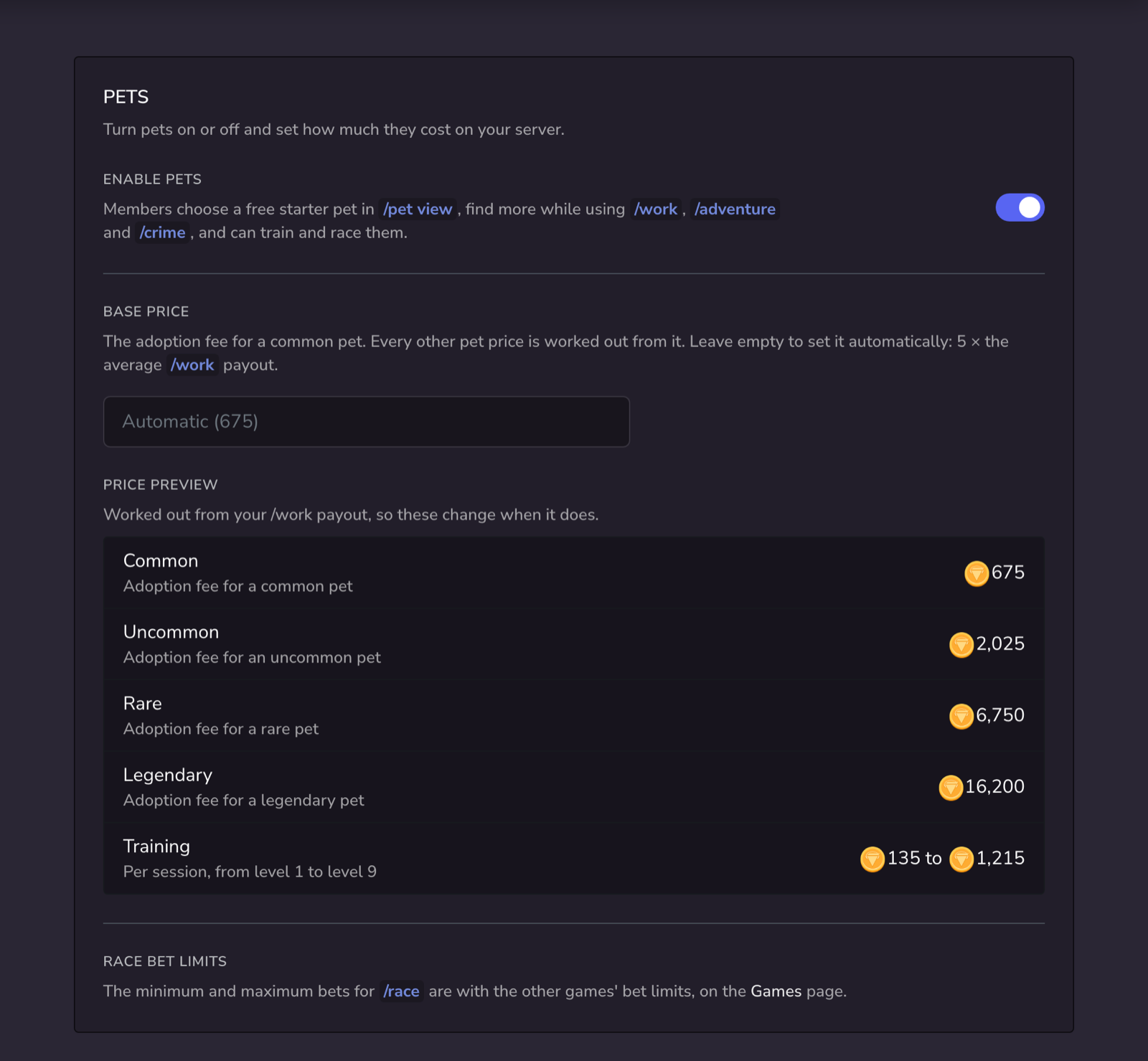
Base price
The base price is the adoption fee for a common pet. Every other pet price is worked out from it.
To set:
- Navigate to the Dashboard → Pets → Base Price
- Enter an amount (at least 10), or leave it empty to set it automatically
- Automatic is the default: 5 × the average
/workpayout. It changes when you change the/workpayout. - The Price Preview shows every price before you save.
| Price | Worked out as | Default |
|---|---|---|
| Common adoption fee | Base price | 675 |
| Uncommon adoption fee | 3 × base price | 2,025 |
| Rare adoption fee | 10 × base price | 6,750 |
| Legendary adoption fee | 24 × base price | 16,200 |
| Training session | 0.2 × base price × the pet's level | 135 to 1,215 |
Members pay adoption fees and training from their cash, so pets also take money out of your economy. See Taxes, fees and money sinks.
Race bet limits
This limits how small and how large a bet members can place on a pet race.
To set:
- Navigate to the Dashboard → Games → Bet Limits
- Find Pet Race
- Enter a minimum and maximum amount
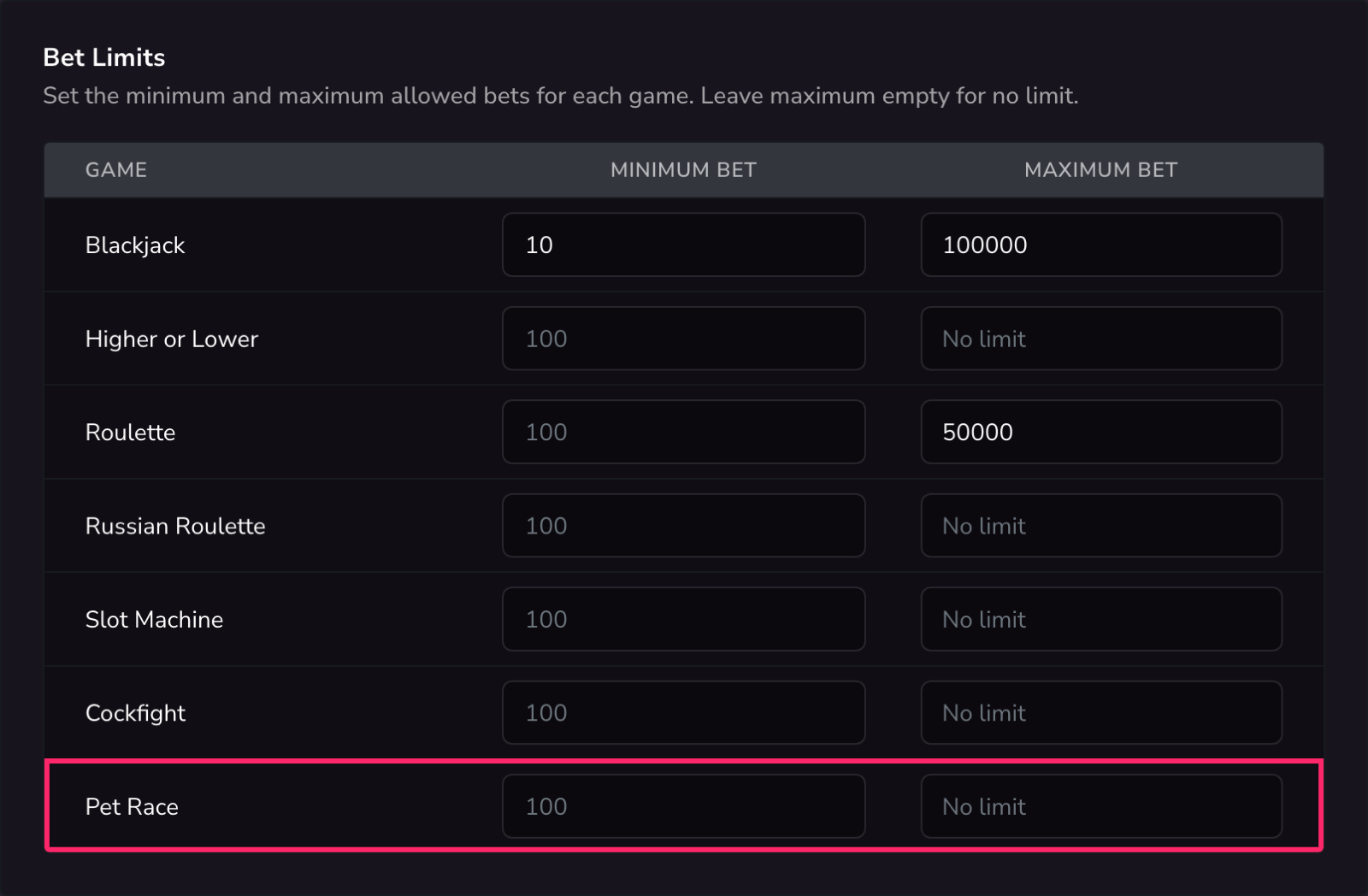
- The default minimum bet is 100. There is no default maximum.
- Pet races also use the game cooldown.
Managing members' pets
Server managers can give, remove, rename and level members' pets with /pet-manage.
| Command | What it does |
|---|---|
/pet-manage give <member> <species> | Give a member a pet for free. It shows as "Given by the server". |
/pet-manage remove <member> <pet> | Take a pet away from a member, with all its XP. |
/pet-manage rename <member> <pet> [name] | Rename a member's pet. Leave out name to remove its name. |
/pet-manage set-level <member> <pet> <level> | Set a pet's level, from 1 to 10. The pet starts the level with no progress. |
/pet-manage reset <member> | Remove all of a member's pets, so they can choose a free starter again. |
removeandresetask you to confirm first, and can't be undone.- Members can only have one of each species, so you can't give a member a species they already have.
- If you remove a member's active pet, their oldest remaining pet becomes active.
- By default,
/pet-manageneeds the Manage Server permission. To change who can use it, see Slash commands.
Resetting everyone's pets
To delete every member's pets, use the Pets category of the dashboard's Factory Reset page. Members can then choose a free starter pet again.
The pets switch, base price and race bet limits are reset with the Game settings category.